Trusted by DTF shops across the country
Sound familiar?
Most shops run on a patchwork of Photoshop, spreadsheets, text messages, and memory. It works — until artwork comes in at 72 DPI, a gang sheet wastes film, or a customer texts you at 11pm asking where their shirts are.
Background removal, upscaling low-res files, building halftones for white ink — all manual, all in Photoshop, all before you even quote.
Looking up SanMar prices, calculating per-sqin decoration costs, building quotes by hand, emailing PDFs back and forth.
Venmo, Zelle, checks — nothing ties back to the order. You track who paid in your head or a notebook.
Paper lists and group texts to figure out what films to print, which blanks to order, and what needs pressing next.
Arranging transfers in Photoshop or Illustrator to fill a 22×60″ sheet. Wasting film, wasting ink, wasting time.
Opening Photoshop for every order, placing artwork on blanks, exporting, emailing, waiting for approval. Rinse, repeat.
“Is my order ready?” texts all day. No portal, no tracking, no automated updates. You are the customer service bot.
PressOS replaces all of that with one system built specifically for DTF.
Every step feeds the next. Prepped artwork becomes mockups. Mockups become quotes. Paid invoices become production orders. Gang sheets build themselves. Nothing gets re-entered, nothing gets lost.
Three tools. One platform.
PrepOS, MockOS, and GangOS are not add-ons. They are the core engines of PressOS — deeply integrated into the pipeline and into each other.
AI-powered artwork prep. Background removal, upscaling, halftones, and color knockout — built for DTF workflows. Your artwork is print-ready before you quote.
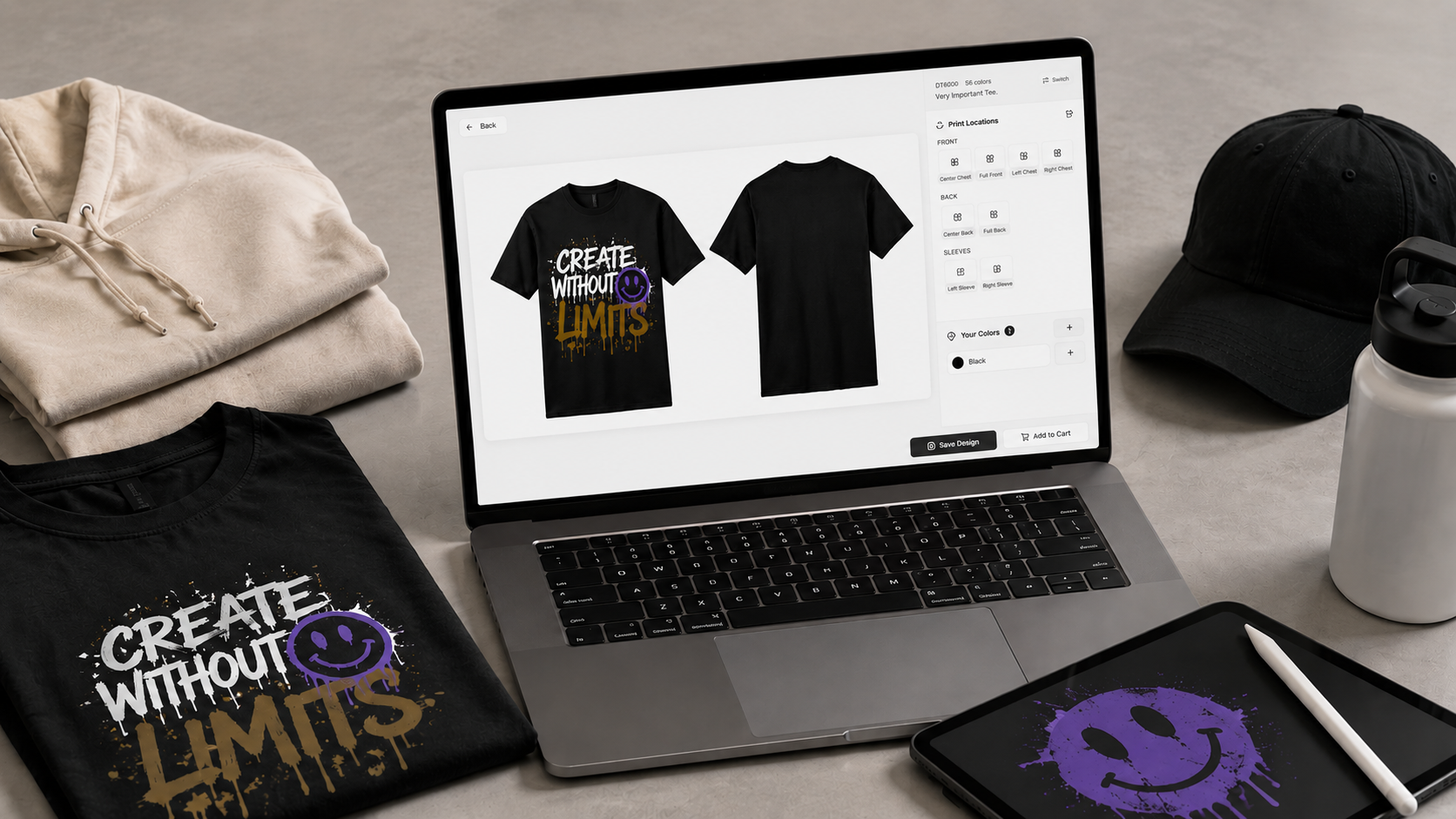
Product mockups on real blanks. Place artwork, set print locations, send for customer approval — no Photoshop required.
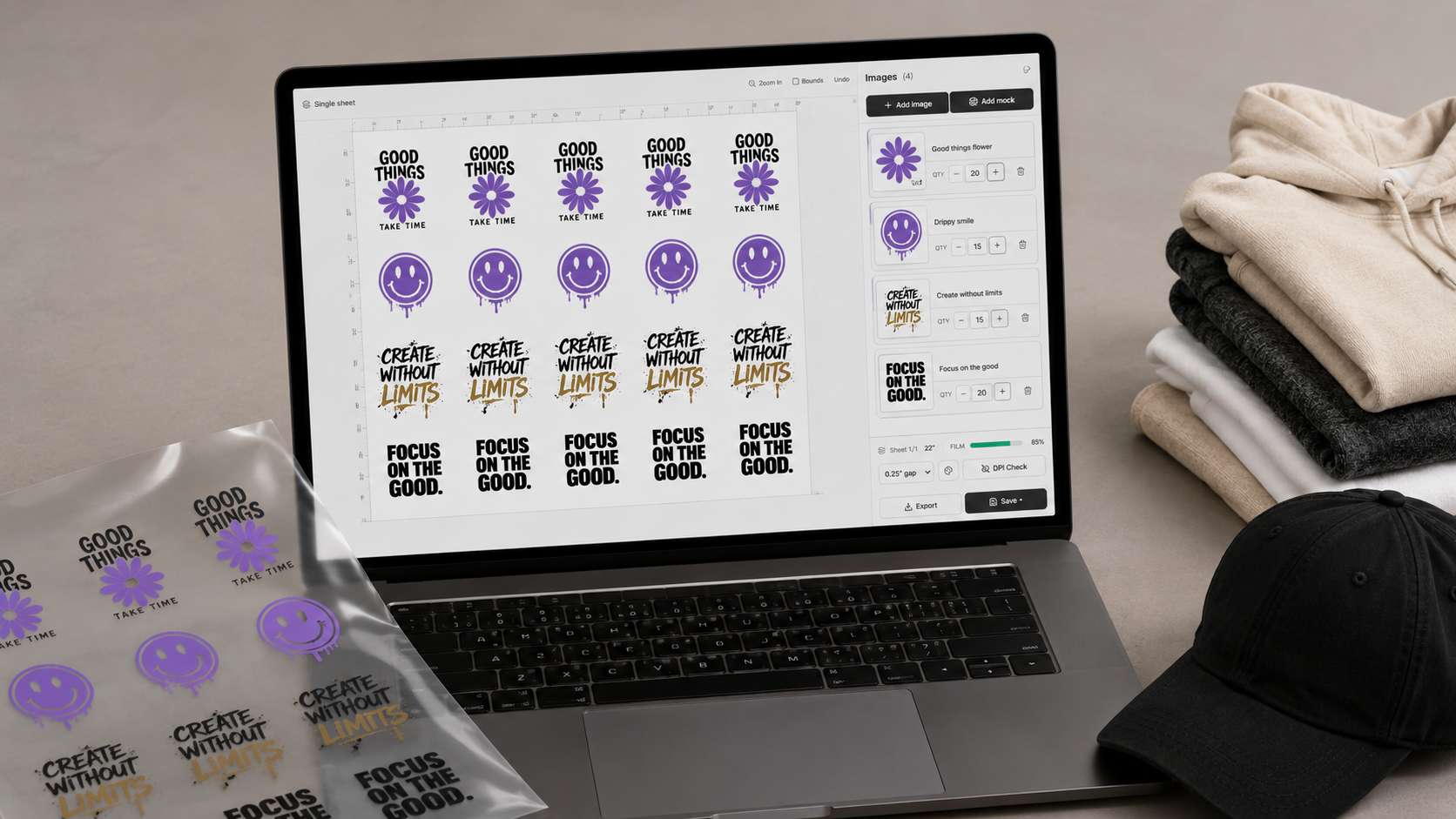
Intelligent gangsheet packing. Auto-arrange, optimize film usage, export to RIP — across single or multiple orders.
Every DTF shop spends hours prepping artwork before a single transfer gets printed. Background removal, upscaling low-res customer files, building halftones for white ink, knocking out colors. PrepOS does it all in-browser with AI — no Photoshop, no plugins, no round-trips.
One-click background removal powered by BRIA RMBG. 256-level alpha masks for clean edges on any artwork. No more pen-tooling in Photoshop.
Customer sent a 72 DPI file? Real-ESRGAN upscales 2x–4x while preserving detail. Get print-quality resolution from low-res artwork.
Build halftone patterns for white ink underbase. Round, ellipse, diamond, or square dots. Control LPI, angle, and min/max dot size.
Remove specific colors (white, black, or any sampled color) with adjustable tolerance and feather. Essential for DTF white-ink workflows.
Snap semi-transparent pixels to fully opaque or fully transparent. Eliminates halos and ghosting around artwork edges after background removal.
Automatic analysis of transparency, dominant background color, resolution, and color space. Know exactly what your artwork needs before you prep it.
Upload artwork and place it on actual SanMar product images. See exactly how the final garment looks in every color variant.
Define front chest, full back, left sleeve — any print placement. Set exact width and height in inches for production accuracy.
Upload your print file and MockOS auto-calculates print dimensions based on DPI settings from your shop config.
Send mockups to customers through their portal. They approve or request revisions with notes. No email chains, no lost threads.
Mockups auto-attach to quote sections. Decoration pricing calculates from print dimensions. Customers see exactly what they are paying for.
Approved mockup artwork flows directly into GangOS for gang sheet generation. No re-uploading, no re-sizing, no re-entering dimensions.
Upload your artwork, pick a blank from the SanMar catalog, set your print locations, and MockOS generates a production-ready mockup. Send it to the customer for approval. When they sign off, the artwork and print dimensions flow directly into your gang sheets and production queue.
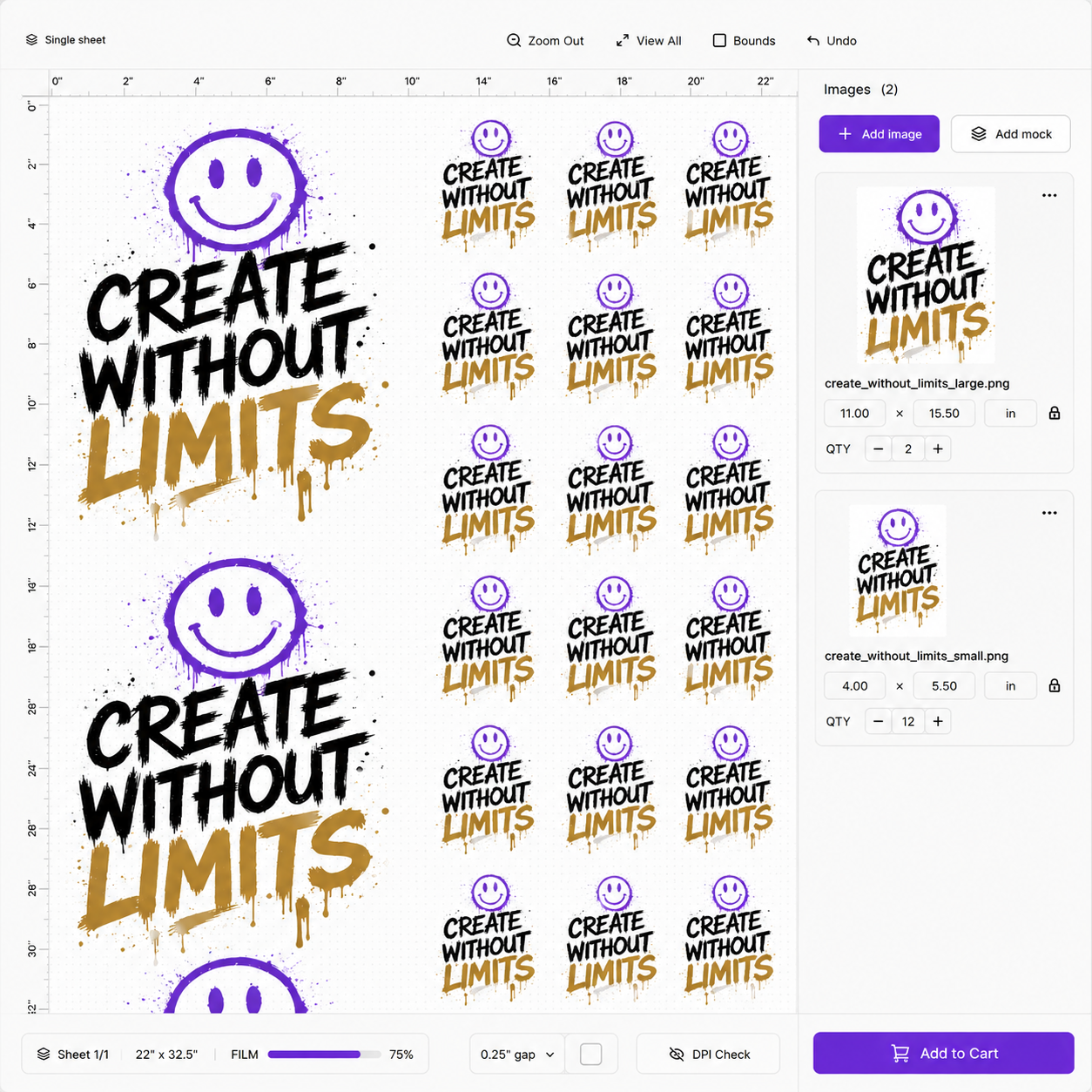
Manually arranging transfers in Photoshop wastes time and film. GangOS packs your prints onto gang sheets automatically — sized to your exact DTF printer specs. Combine multiple orders, export to your RIP, and start printing. Every print stays tied to its order for full traceability.
GangOS automatically arranges your transfers onto gang sheets to maximize film coverage and minimize waste. Group-first row packing algorithm.
Configure your DTF film dimensions — 13″, 22″, 24″ wide, any length. Gang sheets build to your exact printer specs.
Tight nesting algorithms pack prints efficiently. See exactly how much film each gang sheet uses before you print.
Combine prints from multiple orders onto a single gang sheet. Maximize throughput, reduce per-order film cost.
Gang sheets can auto-build when an invoice is paid, or queue for review first. Production and print-and-send modes for different workflows.
Export gang sheets as production-ready PNG or PDF files. Send straight to your RIP software and start printing. Every print stays tied to its order.
From the moment a DTF order is created to the moment it ships. Auto-advancing stages, built-in QC gates, designer and printer assignment, and a unified Hub that shows you exactly what needs attention right now.
Unified view of every quote, invoice, order, blank, and print across your shop. Status groups (act now, waiting, in progress) with urgency flags.
All pending DTF prints organized by order, priority, and due date. Assign to specific printers and operators in your shop.
Quality-check printed films before they hit the press. Flag bleeds, misprints, or color issues. Request reprints before wasting blanks.
Track what transfers are being pressed, on which heat press, by which operator. Auto-advance orders when pressing completes.
Purchase orders for blanks tied to production orders. Track need-to-order, ordered, received, and in-stock status per garment.
Package presets, Shippo integration for live rates and labels, pickup locations. Customer gets notified automatically at every stage.
Search SanMar by style number, brand, or color. Pull in wholesale pricing, inventory levels, and swatches. No flipping between tabs.
Set your cost profile (ink, film, powder, labor), target margin, and per-sqin rate. Quantity tier discounts auto-calculate as you build.
Customer approves the quote, you convert to invoice with one click. Supports deposits, net terms (15/30/60), and recurring schedules.
Customers pay online through Square. Manual and partial payments tracked too. Order auto-creates when paid in full.
Issue credit memos against invoices. Track partial refunds, full refunds, and apply credits to future orders.
Every quote edit is tracked. See what changed, who changed it, and when. Roll back if needed. Customers see clean versions.
Build quotes with real SanMar products, auto-calculated DTF decoration pricing with your cost profile and target margin, and product mockups your customers can actually understand. When they approve, convert to an invoice with deposits, net terms, and Square payment — all without leaving PressOS.
Stop taking orders through Instagram DMs and text messages. PressOS gives every shop a full e-commerce storefront — product catalog, shopping cart, Square checkout, discount codes, tax, shipping, and customer accounts. Customers can even customize products with their artwork and build their own gang sheets. Orders flow directly into your production pipeline.
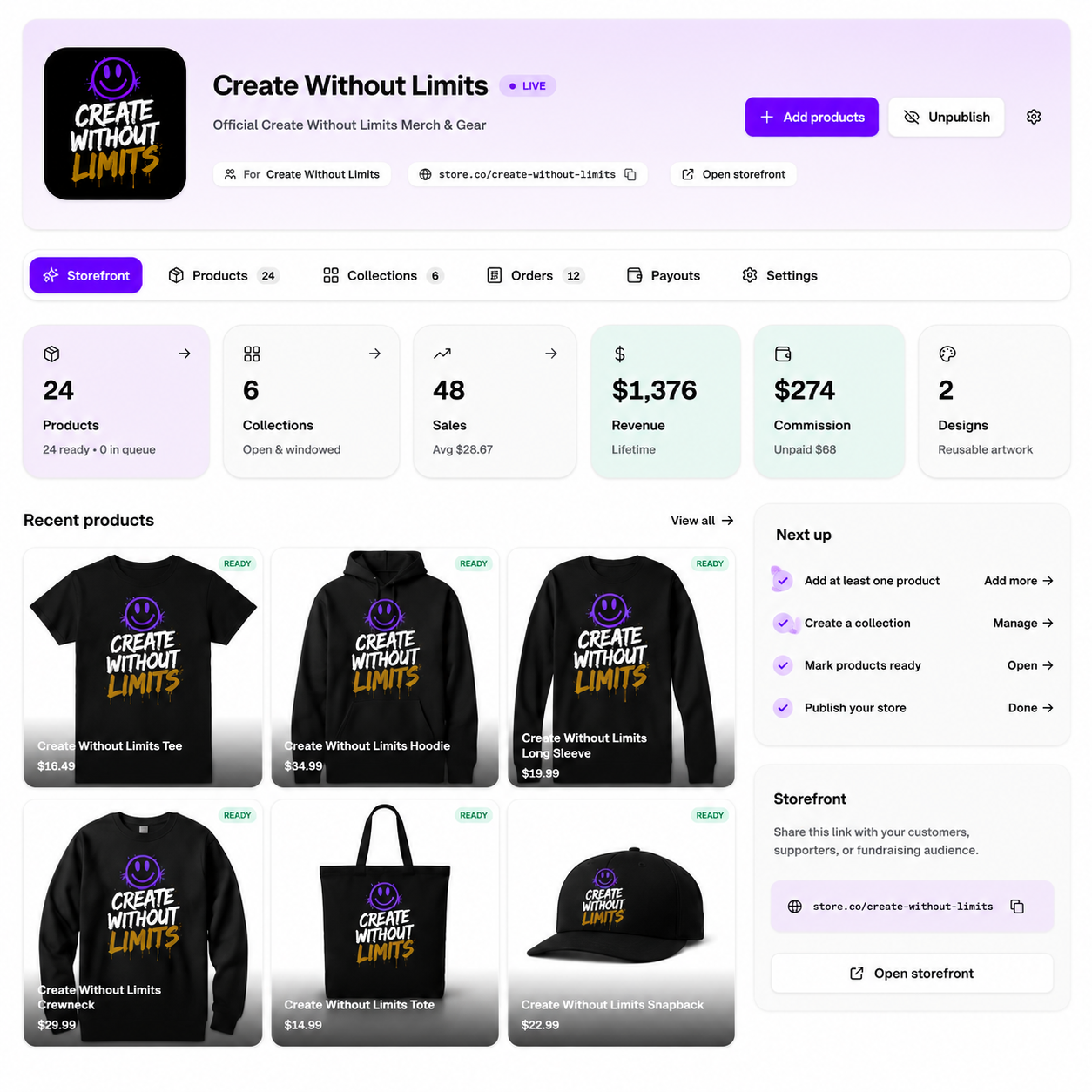
Every shop gets a full storefront with your brand colors, logo, and custom pages. Customers browse products, view galleries, and place orders — no third-party platform needed.
Full shopping cart with size/color selection, shipping methods, tax calculation, and Square-powered checkout. Supports flat-rate shipping, free-over-threshold, and local pickup.
Create percentage, fixed-amount, or free-shipping discounts. Set min order amounts, max uses, expiration dates, and limit to products or gang sheets. Codes apply at checkout automatically.
Customers place their artwork on your products right in the browser. They pick colors, sizes, and quantities — then add the customized product to their cart with live decoration pricing.
Let customers build their own gang sheets on your storefront. Upload artwork, drag-and-drop on a real-size canvas, see live pricing, and add to cart.
Connect your own domain, set up gallery, about, FAQ, contact, and policy pages. Announcement bar, social links, and SEO — a real online presence, not a link-in-bio.
17 purpose-built sections — hero banners, product grids, testimonials, galleries, how-it-works, CTAs, and more. Arrange them in any order, preview live, publish when ready.
Set your accent color, theme mode (light/dark/system), logo, banner, and product image style. Your storefront looks like your brand, not a template.
Create unlimited custom pages beyond the defaults. About, FAQ, contact, gallery, and policies are built in — add landing pages, promos, or seasonal pages whenever you want.
Control your storefront nav — add menu items, reorder them, toggle visibility. Link to internal pages, external URLs, or anchor sections.
Pin promotions, shipping notices, or sale announcements to the top of your storefront. Add Facebook, Instagram, TikTok, YouTube, and X links to your footer.
Edit your storefront without affecting the live site. Preview changes, then publish when you are ready. Unpublish instantly if needed.
Drag and drop 17 purpose-built sections onto your homepage — hero banners, product grids, testimonials, galleries, CTAs, and more. Set your brand colors, upload your logo, add custom pages, and publish. Your storefront is a real website, not a link tree.
Your best customers already know what they want. Give them the tools to build gang sheets, customize products with their artwork, and prep their own files — all on your storefront. Less back-and-forth for you, faster turnaround for them.
Your customers open the gang sheet builder right on your storefront. Upload artwork from their library, drag-and-drop onto a real-size canvas with rulers and snapping, see live pricing per square inch or linear foot, and add to cart. Saved gang sheets live in their portal for reordering.
Customers pick a product, choose their color and size, then place their artwork on predefined print locations — front chest, full back, left sleeve, wherever you configure. Live pricing shows blank cost plus decoration. The finished mockup saves to their account and goes straight to cart.
Give customers access to PrepOS tools in their portal. They remove backgrounds, upscale low-res files, and prep their own artwork before submitting. Less back-and-forth, fewer "can you clean this up?" emails, faster turnaround.
Every customer gets a personal artwork library in their portal. Upload files, organize by project, reuse across orders. Their print-ready files are always one click away when they customize products or build gang sheets.
Customers land on a dashboard showing open orders, unpaid invoices, pending proofs, tickets awaiting reply, and recent activity. Everything they need, at a glance.
Support, artwork, design, and quote requests through categorized tickets. Threaded messaging, status tracking, file attachments, and internal team notes.
Every mockup and gang sheet a customer builds saves to their portal. They can edit, reorder, or add to cart anytime. Artwork references stay linked.
Email notifications at every stage — order confirmed, films printed, pressing complete, shipment out, delivery confirmed. Zero manual "where are my shirts?" replies.
Save favorite products, reorder from past orders with one click. Full order history, invoices, artwork library, and quote requests — all in one portal.
The portal uses your storefront branding — logo, accent color, shop name. Customers see a professional, cohesive experience from browsing to delivery.
Give every customer a portal where they can see their mockups, track production, submit requests, and message your team. Automated updates, a ticket system, and self-serve artwork prep mean you stop answering "Where are my shirts?" texts all day.
Customer questions, order updates, artwork revisions, support tickets — all flowing into one team inbox with full context. Real-time messaging, categorized threads, and automated email notifications so you never miss a message or send one manually.
Every customer conversation in one place — organized by category (orders, support, artwork, products). No more digging through email threads, text messages, or Instagram DMs.
Full conversation history per customer with order context, ticket numbers, and quote/invoice badges. Reply directly from PressOS.
New messages appear instantly via real-time sync. Status tracking — open, awaiting customer, needs reply, resolved — so nothing falls through the cracks.
Customers get notified by email at every milestone — order placed, proof ready, payment received, shipment out. Configurable per event type.
No more flipping between SanMar.com and your quote spreadsheet. Search by style number, see live pricing and inventory, pull products directly into quotes with color swatches and sizing — all without leaving PressOS.
See how DTF shops transform their daily workflow.
| Task | Before | With PressOS |
|---|---|---|
| Prep artwork | Photoshop for every file — remove backgrounds, upscale, build halftones manually | AI background removal, one-click upscale, halftone builder — all in-browser |
| Build a quote | Look up SanMar, calculate sqin pricing, build in spreadsheet | Search catalog, add product, pricing auto-calculates from your cost profile |
| Create a mockup | Open Photoshop, place artwork, export PNG, email customer | Upload artwork, pick blank, set placement — done in 30 seconds |
| Build a gang sheet | Arrange prints manually in Photoshop/Illustrator, guess on spacing | Auto-arranged, film-optimized, RIP-ready export |
| Send an invoice | Export PDF, email it, hope they pay | One-click convert from quote, Square payment link, net terms, deposits |
| Track production | Whiteboard, paper lists, group texts | Print queue, film QC, pressing — all tracked in real-time with auto-advance |
| Customer updates | “Where are my shirts?” texts all day | Customer portal with live tracking, auto notifications, and ticket system |
| Sell online | No online presence, Instagram DMs for orders | Branded storefront with products, cart, Square checkout, and discount codes |
| Build a website | Pay a designer, use Shopify/Wix, or just don’t have one | Drag-and-drop site builder with 17 sections, custom pages, and your own domain |
| Let customers customize | Email artwork back and forth, mock it up yourself, send for approval | Customers place artwork on products and build gang sheets on your storefront |
| Customer communication | Text messages, Instagram DMs, email threads, phone calls | Unified team inbox with threaded conversations, real-time sync, and auto-notifications |
Not another tool. An operating system for your entire shop.
PressOS replaces Photoshop, your mockup workflow, gangsheet arrangement, quoting spreadsheets, invoicing tools, your website builder, and production whiteboards — with one connected system.
Film QC checkpoints, auto-advancing stages, revision tracking, blank validation, idempotent checkout, and a connected pipeline where data flows automatically.
Branded storefront with e-commerce, customer portal, ticket system, team inbox, automated notifications, and professional quotes — not a side hustle setup.
From real shops
"We used to spend the first hour of every day figuring out what films to print and which blanks to order. Now I open PressOS and it’s all there."
DTF Shop Owner
Texas
"My customers stopped texting me about their orders because they can see the status themselves. That alone made it worth switching."
Custom Apparel Studio
Florida
"The gang sheet builder saves us 30+ minutes a day just in film arrangement. And the artwork prep tools cut our design time in half."
Print Shop Manager
California
Pricing
PressOS is free to use — no monthly fees, no setup costs, no credit card to start. We take a small 5% app fee on card transactions processed through Square. That's it.
Automatically deducted from each Square card payment. No invoices, no bills, no surprises. You never see a charge.
No upfront costs, no credit card required. Sign up and start managing your shop immediately.
We only earn when you earn. Your success is our success. We are invested in helping your shop grow.
PressOS replaces your artwork prep software, mockup tools, gangsheet builder, quoting, invoicing, production tracker, website builder, e-commerce platform, and customer portal.
Small amounts taken automatically from each payment.
Everything you need to know before getting started.
PressOS is free to use — no subscription, no setup cost, no credit card to start. We take a 5% app fee on card transactions processed through Square. The fee is deducted automatically from each payment. Cash and check payments do not incur any fee.
They are the three core tools built into PressOS. PrepOS handles artwork prep (AI background removal, upscaling, halftones, color knockout). MockOS generates product mockups on real SanMar blanks. GangOS auto-arranges transfers onto gang sheets for maximum film efficiency. All three are included — no add-ons or separate subscriptions.
PressOS integrates with SanMar for catalog products, pricing, and inventory. You will need SanMar credentials to use the catalog features, but you can still use PressOS for artwork prep, quoting, production, gang sheets, custom products, and order management without it.
AI-powered background removal (one-click, 256-level alpha masks), AI upscaling (2x–4x for low-DPI files), halftone generation (configurable dot shape, LPI, angle), color knockout (remove any color with tolerance), edge cleanup (eliminate halos), and automatic DPI/color space analysis. Customers can also use these tools in their portal.
Yes. Every PressOS shop gets a full e-commerce storefront built with a drag-and-drop site builder (17 section types). It includes a product catalog, shopping cart, Square checkout, discount codes, shipping methods, tax settings, and customer accounts. You can connect your own domain so customers visit yourdomain.com directly.
Yes. If you enable the product customizer, customers can place their artwork on your products, pick colors and sizes, see live decoration pricing, and add the customized product to their cart. They can also build their own gang sheets with a full drag-and-drop builder, complete with rulers, snapping, and live pricing.
A visual drag-and-drop page editor for your storefront. Choose from 17 purpose-built sections — hero banners, product grids, testimonials, galleries, CTAs, and more. Set your brand colors, upload your logo, create custom pages, and publish. No code, no designer, no Shopify.
Yes. Every customer gets a full portal with a dashboard, order history, invoices, saved mockups and gang sheets, artwork library, favorites, quote requests, and a ticket system. Automated email notifications keep them updated at every production stage.
When an invoice is paid or a storefront order is placed, a production order is created automatically. It flows through print queue, film QC, pressing, and pack/ship stages with auto-advancement. The Hub gives you a unified command center showing what needs attention across all orders.
Yes. Create percentage, fixed-amount, or free-shipping discounts. Set minimum order amounts, max uses, per-customer limits, expiration dates, and limit to products or gang sheets. Customers apply them at checkout and savings calculate automatically.
Yes. Beyond the SanMar catalog, you can create custom products and ready-to-press transfers with variants (size, color, SKU, price). They appear on your storefront alongside catalog products.
PressOS is purpose-built for DTF workflows — gang sheets, film QC, pressing, per-sqin pricing, halftone generation. While quoting, invoicing, and storefront features work for any business, the production pipeline and artwork tools are optimized specifically for DTF.
Sign up and start building. Set up your storefront with the site builder, add products from the SanMar catalog or create custom ones, configure your pricing, and start taking orders. There is nothing to migrate — you can be live in an afternoon.
Photoshop for artwork. Spreadsheets for quotes. Whiteboards for production. Shopify for your store. Text messages for customer updates. Replace all of it with one system built for DTF. Set up your storefront in an afternoon — it's free.
Get Started Free